LEGO Missing Sticker Sheet? Check These Places First
Short answer: before reporting a missing sticker sheet, leaf through the instruction book, check behind the box flaps and inspect every emptied bag. If the sheet is truly absent, folded beyond use or not shown in the self-service list, keep the set number, a photo of the empty packaging and the sheet description together, then ask LEGO Customer Service for the correct route.
This page is only for a sticker sheet that is absent, damaged or not selectable. It is not for a missing brick, a wrong part in a bag or a replacement shipment that arrived damaged. Use the wrong-piece swap check or replacement delivery check for those different cases.
Benchmark reading: LEGO.com provides the Missing Pieces set-and-piece route; its set pages can separately label Pieces and Stickers. Music City Bricks concentrates on checking a new set before filing; Reddit discussions repeatedly surface sheets caught in manuals or absent from a set list. The location-to-route card below is BrickMend's original organization of that gap.
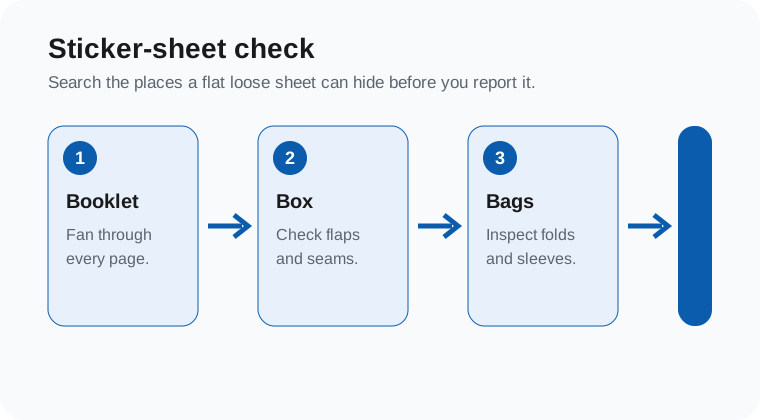
1. Do a sheet-specific search
| Place | Check | What to record if absent |
|---|---|---|
| Instruction booklet | Fan the front, back and middle pages without bending them | Booklet title or version, plus the page where you checked |
| Box and cardboard flaps | Open the seams and inspect the bottom after bags are removed | One photo of the empty box interior |
| Loose bags and packing material | Check transparent bag folds and any paper sleeve | Bag number only if the sheet was expected with it |
| Self-service set page | Look for a separate Stickers option; do not assume it appears for every set | Exact on-screen wording or a cropped screenshot |
Do the search before opening a claim. A sheet can be loose rather than assigned to a numbered bag, and an unlisted sheet is not proof that the set never included one. Do not post the full box label, order details or home address with a public help request.
2. Name the actual sticker problem
| Observed result | Accurate description | Next move |
|---|---|---|
| Sheet is absent | Missing sheet after the booklet, box and bag check | Use the Missing Pieces route if the sheet is selectable; otherwise contact Customer Service |
| Sheet is listed but cannot be selected | Set page recognizes stickers but the selection does not complete | Save the wording and use the form error check for the technical branch |
| Sheet is folded, creased or torn | Present but unusable condition | Photograph the condition before trying to flatten or apply it; ask support for the appropriate replacement route |
| Sheet is not shown on the set page | Not listed in self-service, not necessarily unavailable | Send the set number and a plain sheet description to Customer Service rather than guessing a part ID |
3. Make a four-field sticker record
- Set: copy the set number from the box or booklet.
- Sheet: say whether it is absent, folded, torn, misprinted or simply not listed.
- Search result: note the places checked and whether the official set page shows a Stickers option.
- Evidence: retain one cropped photo of the empty box or the sheet condition; mask personal data and order information.
That record lets an agent understand that this is a set-specific sticker question, not a request for a visually similar individual brick. It also avoids entering a made-up element number merely to force the self-service selector forward.
4. Keep the next contact narrow
A concise support message is enough: “For set [number], the sticker sheet is [absent/folded/not listed]. I checked the instruction booklet, box and packing material. The Missing Pieces page [shows/does not show] a Stickers option. What is the correct replacement route?”
If the answer is that an exact sheet cannot be supplied, keep that written answer before considering a paid source. Search by set number and the specific sheet, not by a look-alike decoration; an paid marketplace is a later fallback, not proof that official replacement stock is unavailable.
Affiliate link: we may earn a commission if you buy through this link, at no extra cost to you.
One-minute sticker check
- I checked the booklet pages, box flaps and emptied bags.
- I know the set number and can describe the sheet without inventing an ID.
- I separated an absent sheet from a folded or torn sheet.
- I saved only privacy-safe evidence and the exact self-service wording.
- I will ask for the sticker-specific route rather than filing a duplicate brick request.
Checked 15 October 2026. Availability and support routes can vary by set, region and sticker sheet.
BrickMend is an independent reference site and is not affiliated with or endorsed by the LEGO Group.